
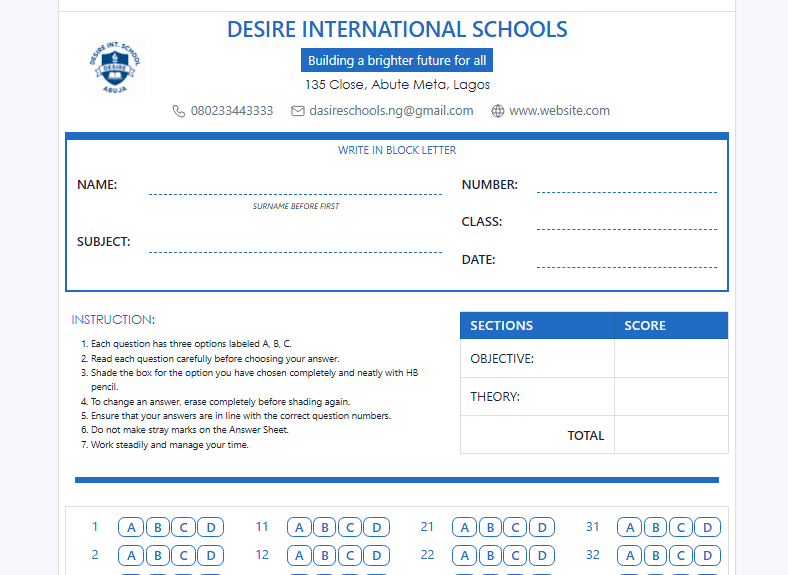
Time is essential when dealing with pressure and limited resources. Spending hours designing and printing exam answer booklets can be hectic. What if I told you that you could whip up professional, customized answer sheets in under 30 seconds?
With Lunox modern school management system, creating exam sheets is as easy as a few clicks, leaving you more time to focus on what truly matters—your students.
Let’s dive into how this game-changing tool makes it happen!
Step-by-Step: Exam Sheets in 30 Seconds Flat
Here’s the magic recipe for crafting answer booklets faster than you can brew your morning coffee:
- Navigate to the Magic Menu
Open your school management system and head to Prints and Cards > Exam Sheets. This is your gateway to effortless exam prep! - Pick Your Theme Color
Want your answer sheets to pop? Choose a theme color that matches your school’s vibe or keeps things professional. A splash of blue, green, or even red—your call! - Select Your Category
Decide whether you need a full answer sheet for comprehensive exams or just a section for specific parts like essays or multiple-choice questions. Flexibility is the name of the game! - Customize the Details
Tailor the booklet to your exam’s needs:- For theory sections, specify the number of sheets to give students plenty of space to shine.
- For multiple-choice sections, select options (A-E) and the number of questions. Whether it’s 10 questions or 100, the system’s got you covered.
- Hit Generate and Voilà!
Click Generate Exam Sheet, and your customized, print-ready answer booklet is ready to go.
No more wrestling with clunky templates or endless formatting—let’s see how you can create perfect answer sheets in a snap.


Join the conversation